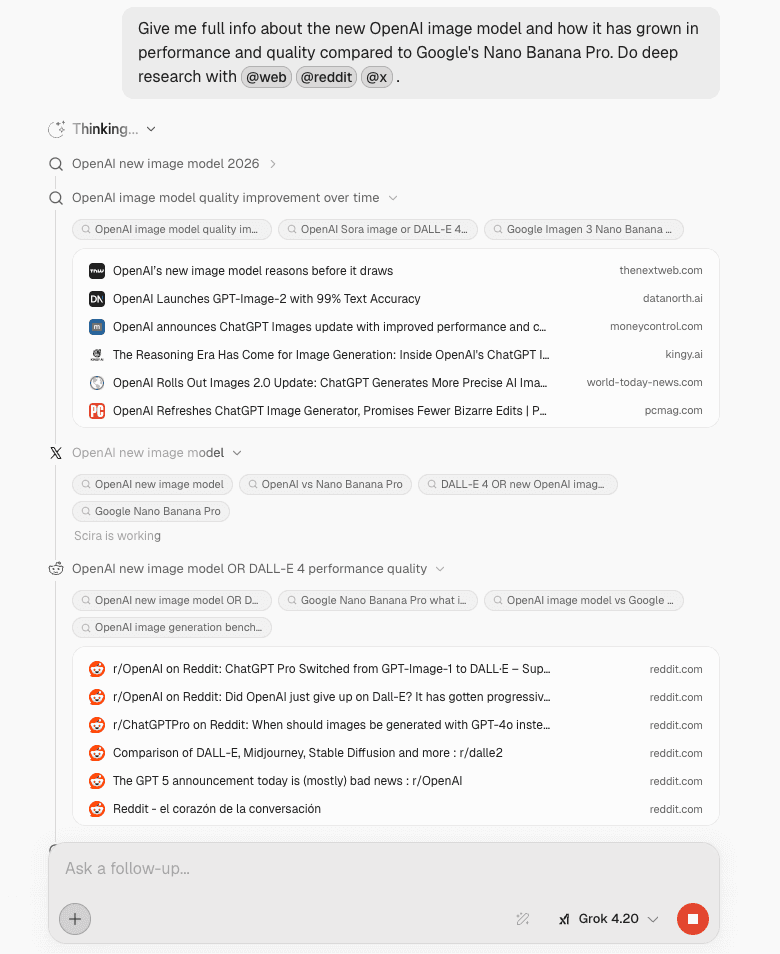
I get annoyed when a bot drops an answer and you have no idea what it actually did. So I shipped a few things at once: you steer where Scira can look before you send, you can read the run step by step after, voice mode got a pass so you are not guessing if the mic is live, and vanilla web search now defaults to Parallel instead of Exa for people who never chose a provider (Exa is still in Settings).
Sources in the composer#
Hit + next to the input. There is a Sources row with a little number on it. That is how many backends are on, not a guess at a preset.
Open it and you get checkboxes: web, X, GitHub, academic, whatever you need for this question. Turn off what you do not want, leave on what you do, then send. The count and the ticks match what will run.
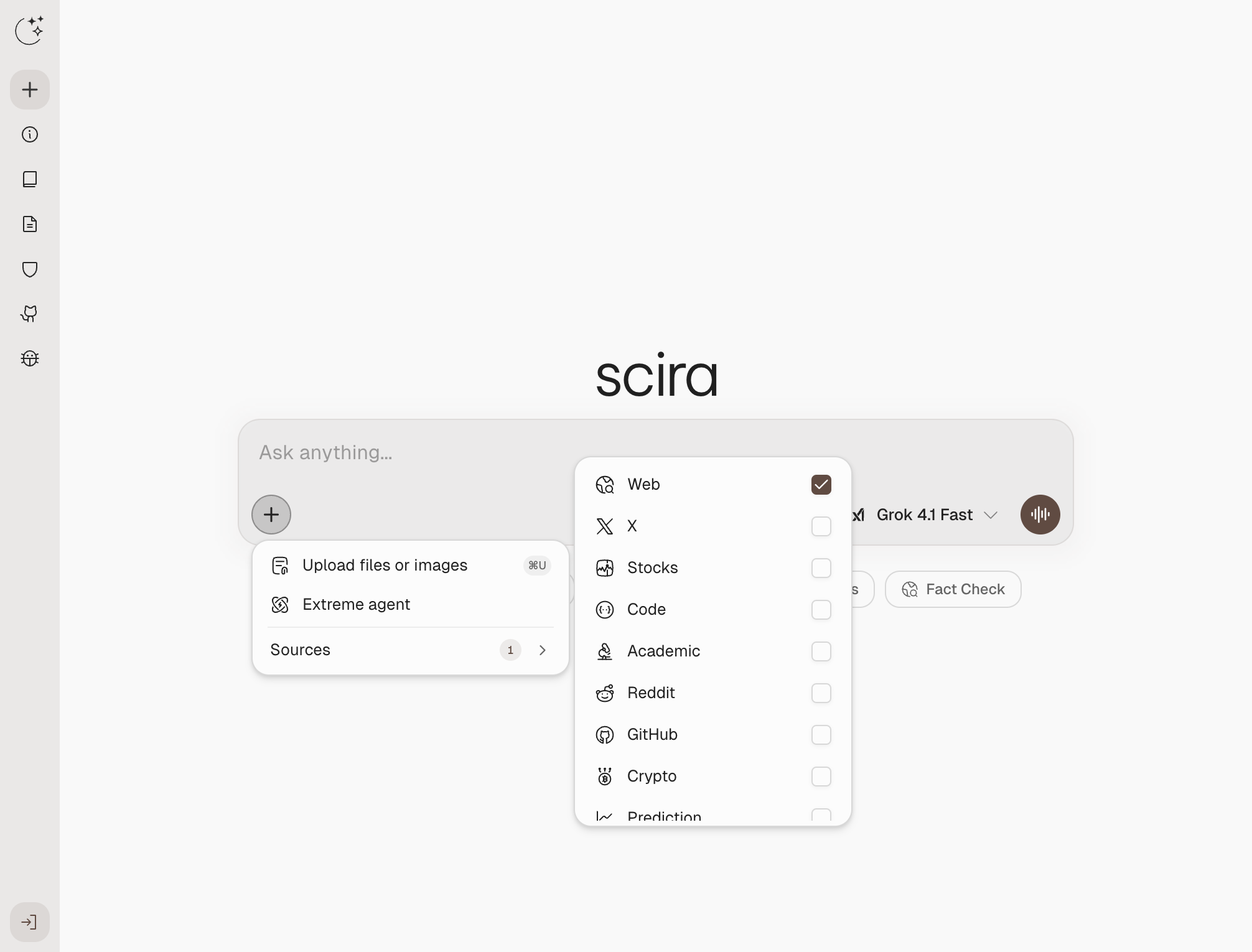 Sources in the + menu: checklist of backends with a count on the row.
If you would rather stay on the keyboard, type @ and the same list pops inline. Pick one and keep typing.
Web search: Parallel is the default now#
If you have not saved a provider yet—or you are on a fresh browser profile—web search goes through Parallel. Firecrawl and Exa are still under Settings → Preferences, and whatever you already picked stays put.
That is separate from the @ sources in the composer; it is the plumbing behind generic “search the web” tool calls. You still see the exact queries in the thread.
A timeline that is not a black box#
When Scira calls tools (web search, poking at an upload, a longer research pass), the steps show up under the reply in order. You can open a row when you want the messy detail: which query, what came back. While things are still moving the header breathes a bit; when the run is over it goes quiet.
Short questions might be two or three rows. Heavy ones look like a stack, but it is the same idea either way. You are not stuck decoding a wall of text to figure out what happened.
This shot is from a real mid-run: @web, @reddit, @x are right in the prompt so the scope is obvious, then the timeline moves from Thinking into web, X, Reddit, each block expandable.
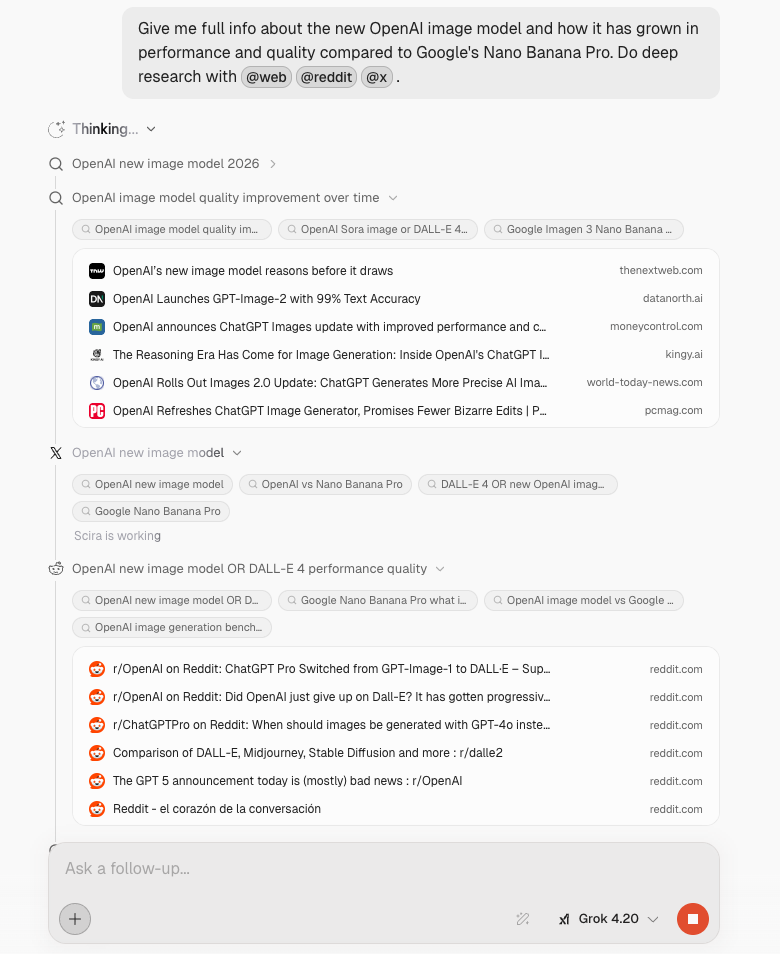 Deep research in progress: @ sources in the prompt and the live timeline (web, X, Reddit).
Voice UI: you can see the session#
The old pattern is you hit mic and hope the app heard you. The bar is clearer now: there is a timer for how long this voice stretch has been running, a plain listening state you can read at a glance, and an End control next to the waveform so you can stop on purpose instead of awkward silence.
The composer still accepts text while voice is on, so you can fix a word or paste a link without flipping modes. The mic stays obvious, usually with a small live indicator so you know you are hot.
Under the reply you still get the same transparency for search. Web passes show up as labeled lines (what was queried), so voice is not a separate lane where citations disappear.
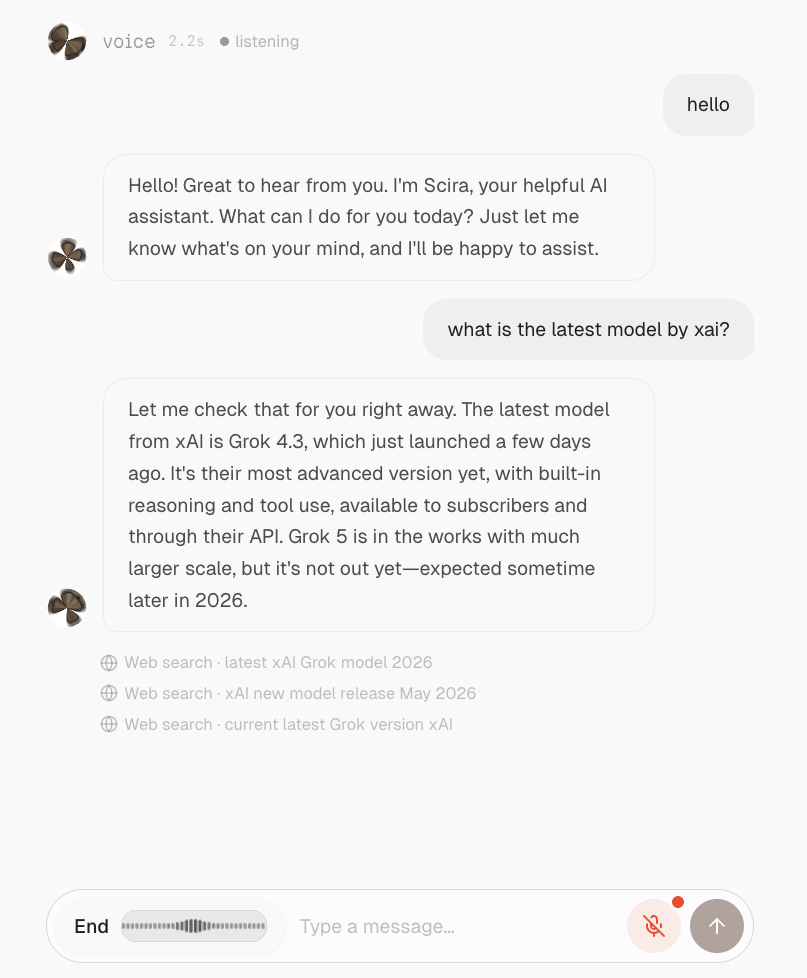 Voice mode: listening state with timer, End + waveform, mic indicator, and web search lines under the answer.
It is all in the product now. Set sources, let Parallel handle web unless you change the provider, expand the timeline if you want receipts, or start talking and watch the bar tell you what mode you are in.
productsearchvoiceparallelupdates
