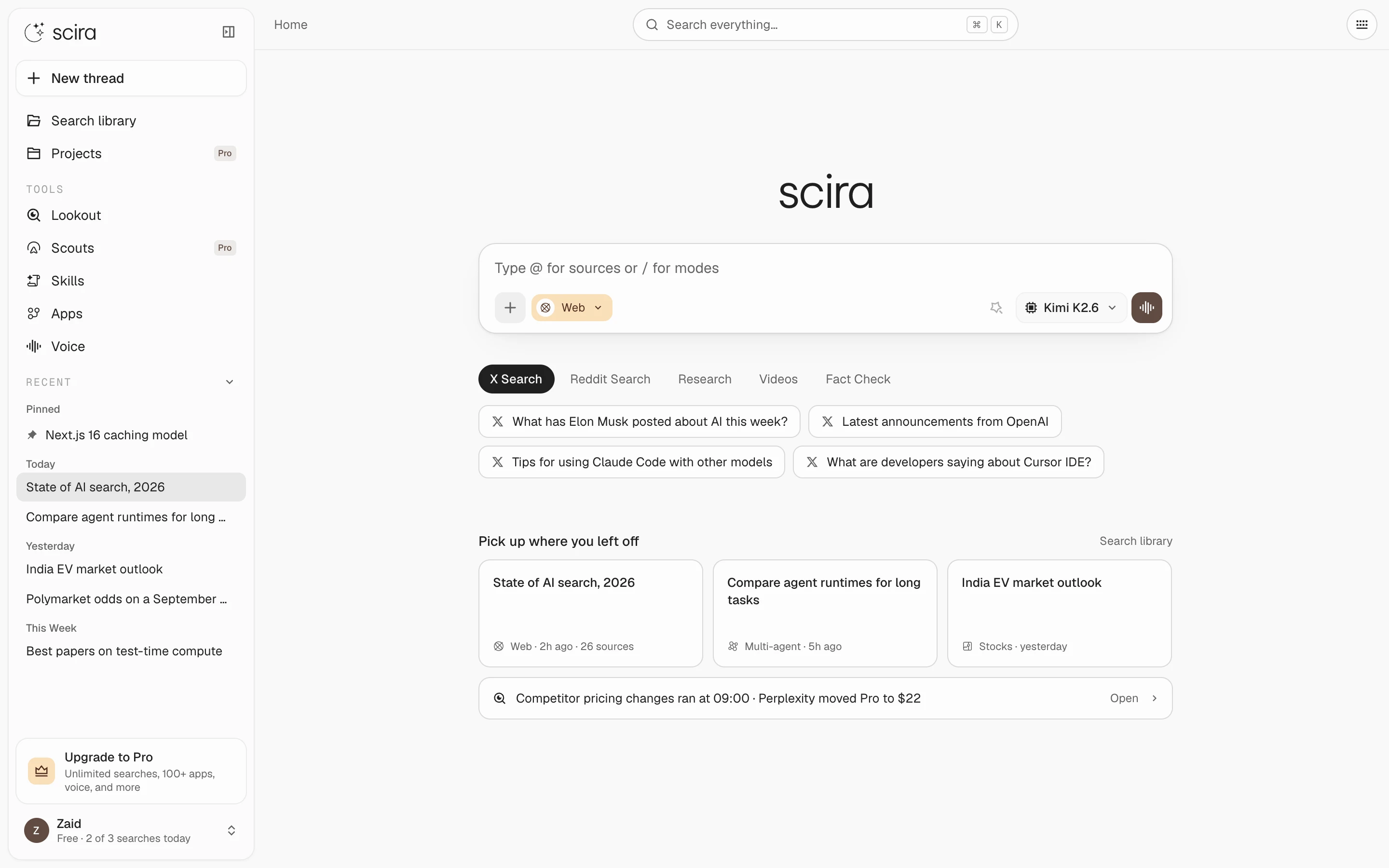
Scira 2.0 is live. Every screen was rebuilt from one design file, four modes were removed, and the features that stayed were reworked. This is the full list. The screenshots are the artboards the build was ported from.
Redesign#
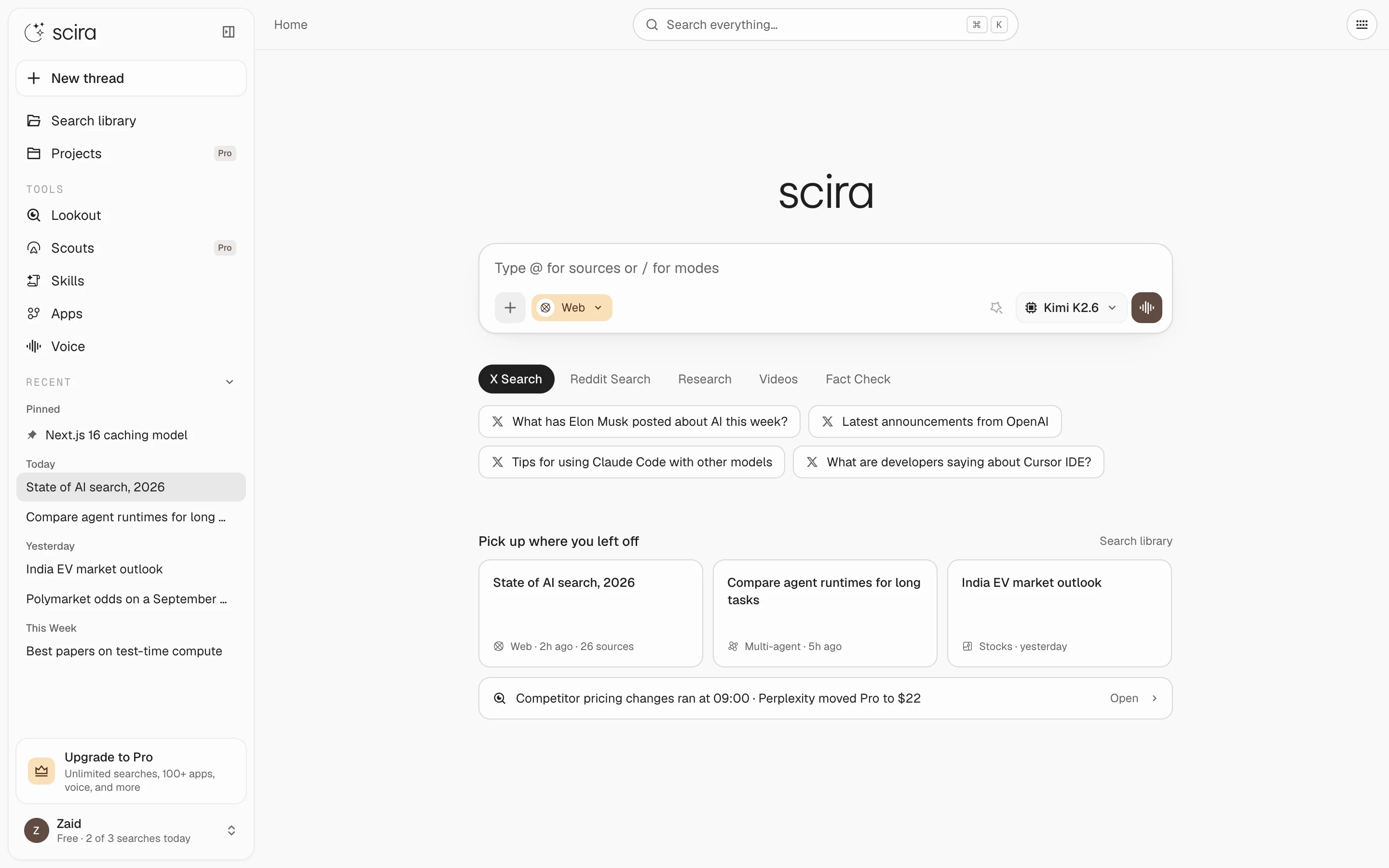 Home: sidebar, composer, suggested searches and recent threads.
- New type system: Geist for the interface, Be Vietnam Pro for display text, Instrument Serif for italic accents, Geist Mono for code and keycaps.
- Warm off-white palette with the brand brown as the only accent.
- Sidebar and New thread button use a hairline ring instead of a border plus shadow. The composer shadow is one soft layer.
- Keycaps use the system font and the macOS return symbol.
- The About, Pricing, Terms, Privacy and Blog pages share one header, one 1040px column and one section rhythm.
- Blog posts get an issue number, a dotted meta row and an "On this page" rail.
- Page titles are plain: Scira Blog, Scira Lookout, Scira Scouts, Scira Skills, Scira Apps.
Composer#
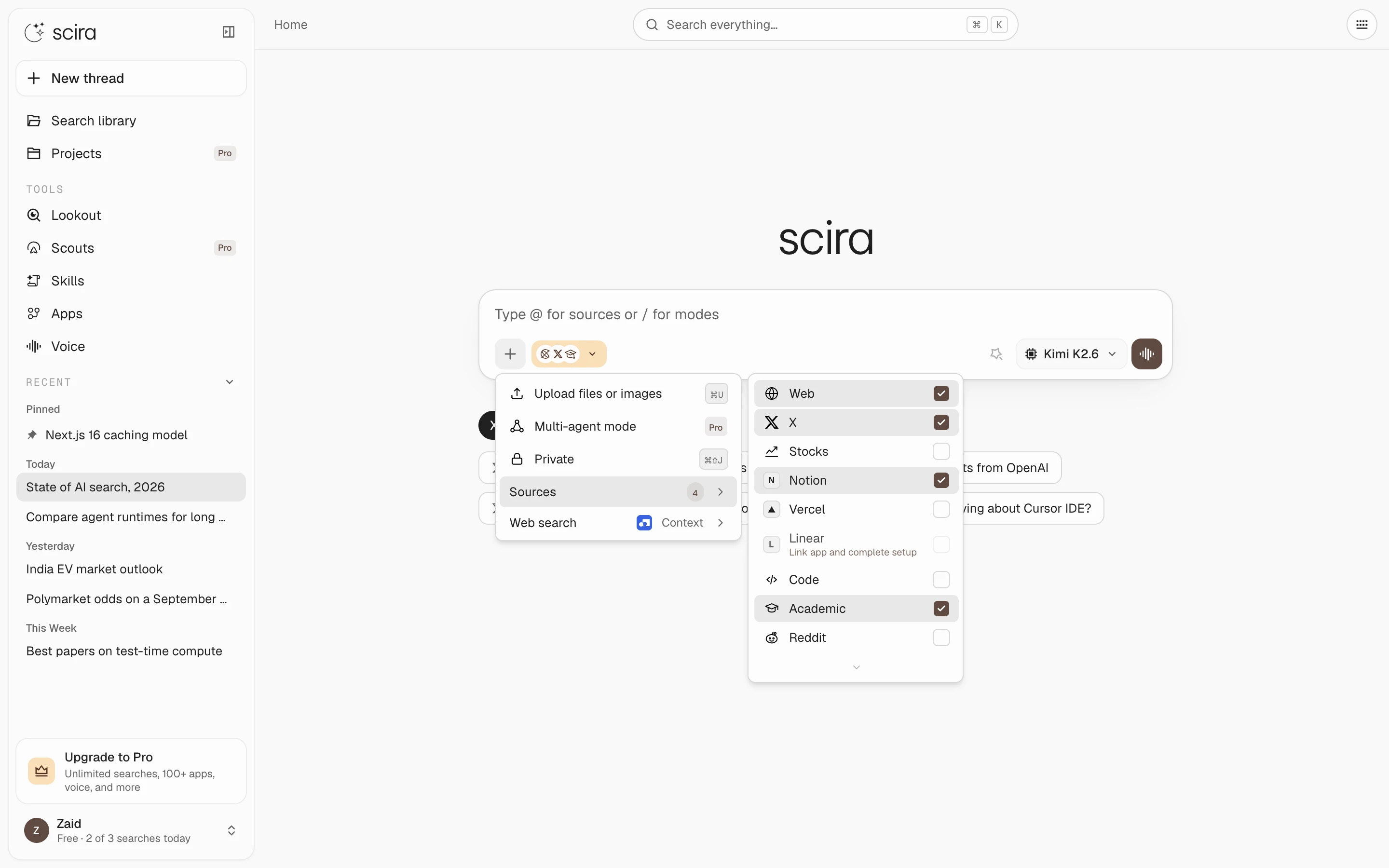 Sources checklist in the + menu, with the count on the row.
- The + menu holds uploads, Multi-agent, Private, Sources and the web search provider.
- Sources is a checklist. The pill shows what is on and the count matches what will run.
@opens the same source list inline./opens modes and skills.
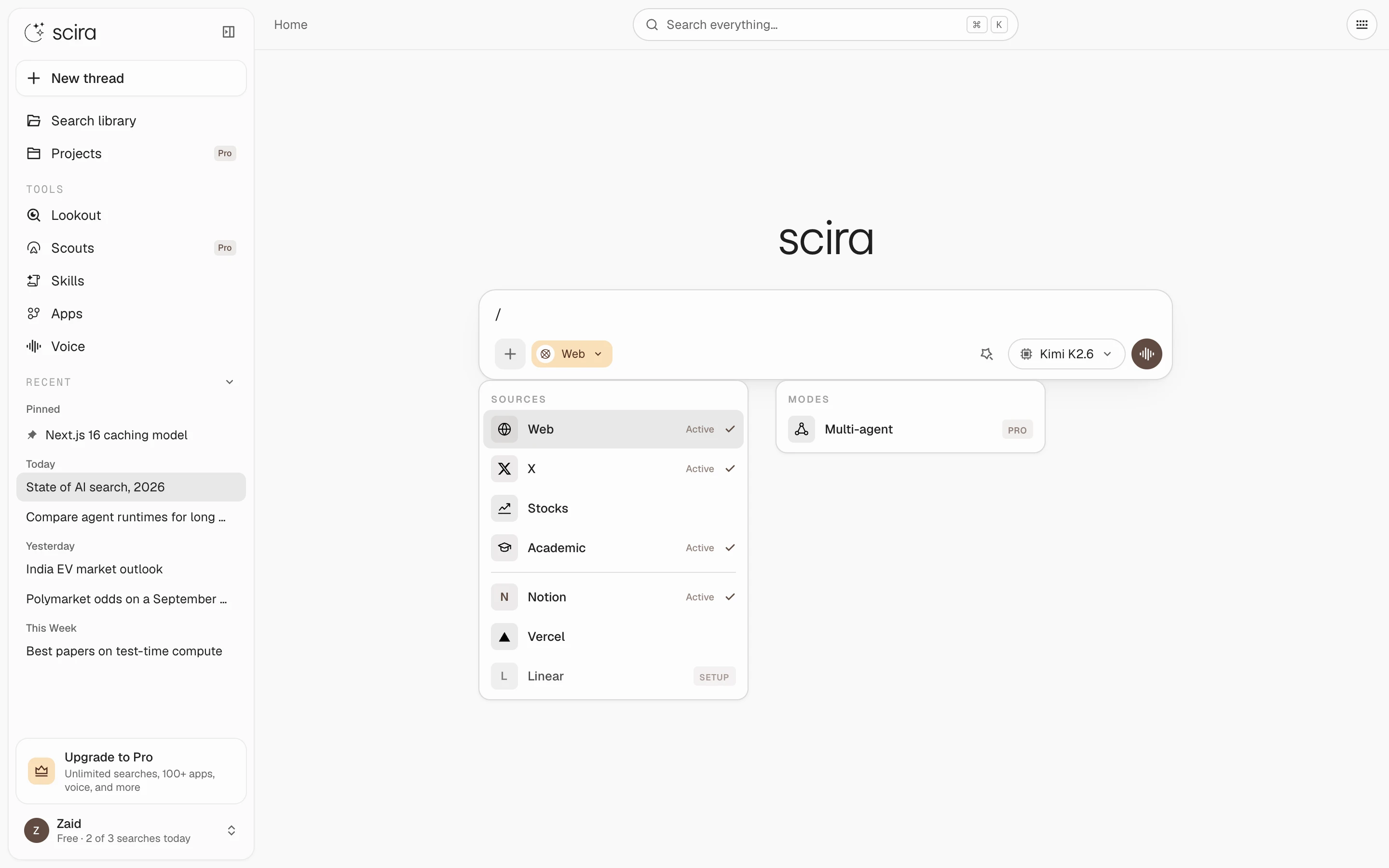 The @ and / popups, anchored to the caret.
Motion#
- The
@and/popups scale in from the caret and scale out the same way. - Attachments slide into the composer row. Each preview pops in and out.
- Follow-up questions stagger in by 40ms.
- The jump-to-latest button exits along the path it entered.
- The lookout empty state gets a single entrance beat.
- Loaders are a 3×3 dot matrix.
- Nothing animates on a keyboard shortcut. Reduced-motion drops the transforms and keeps the fades.
Timeline#
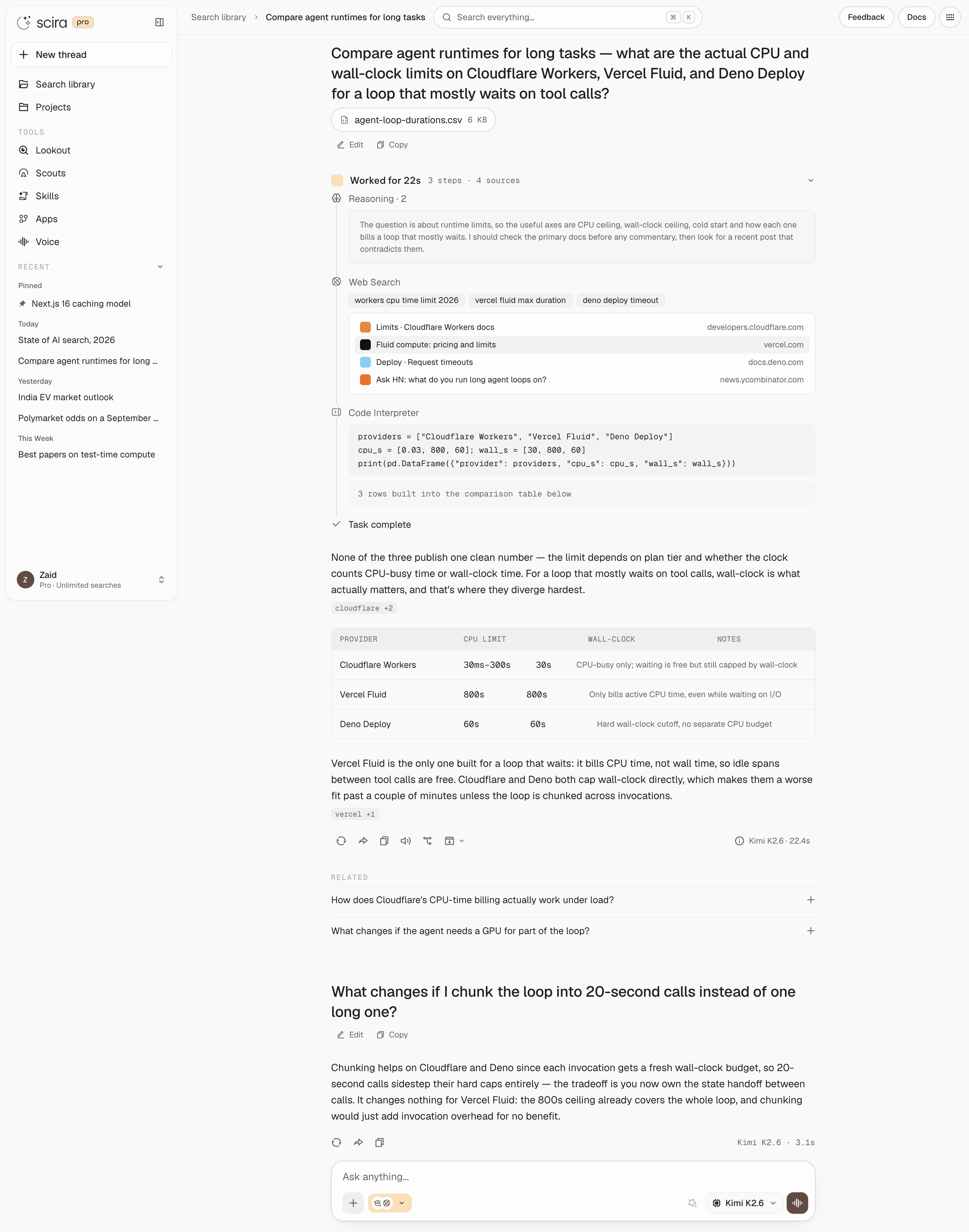 A full run: reasoning, web search, code, then the answer with inline source chips.
- The folded header is a summary of the run instead of "Worked". Example:
Searched the web and papers, read 4 pages · 4 steps · 97 sources. - The gap between the timeline and the answer is 24px, down from about 70px.
- The dot matrix shows while a run is live. The Scira mark replaces it when the run settles.
Multi-agent#
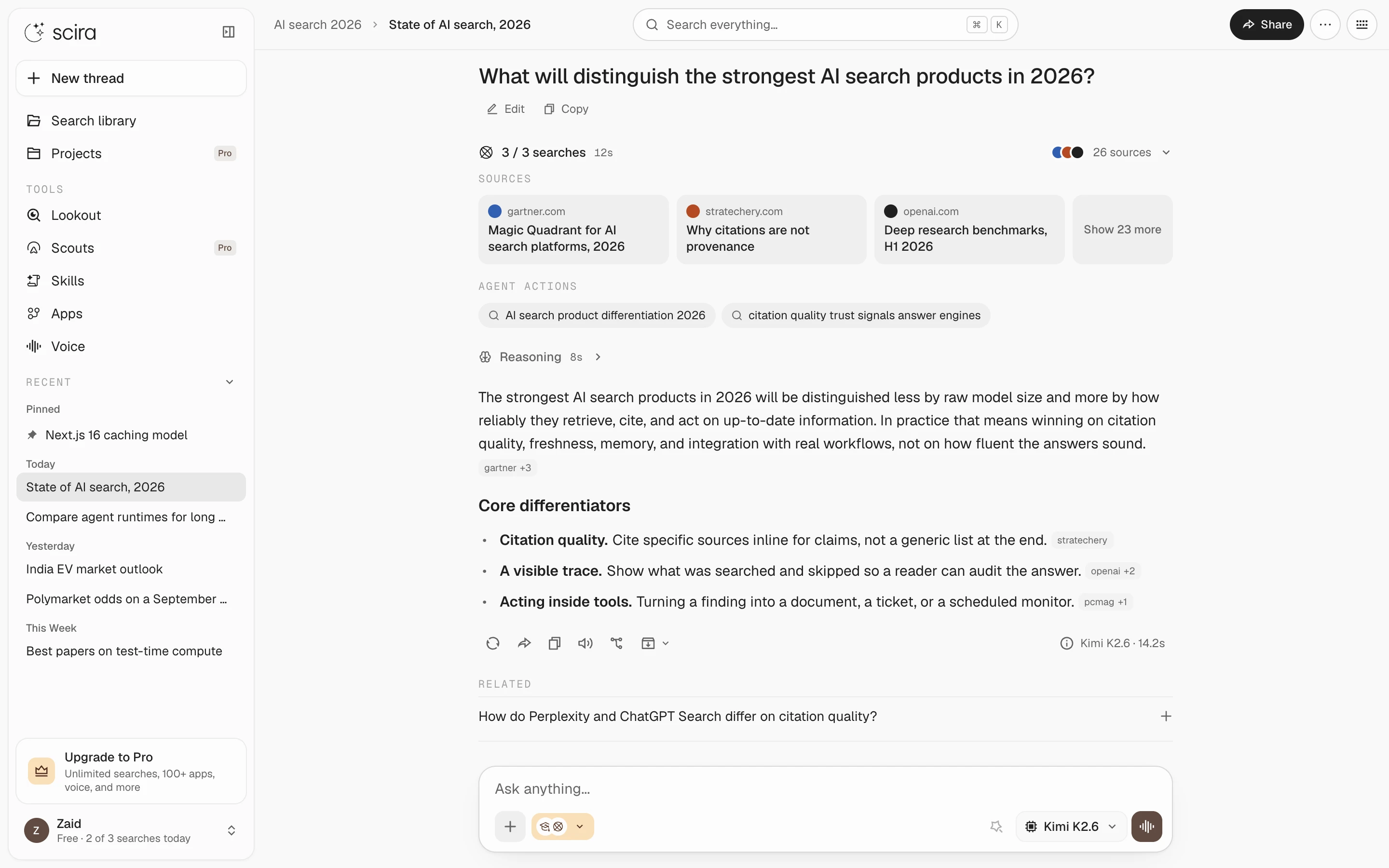 A multi-agent run: the search count and time, the top sources as cards, and every query the agents ran as a chip.
- Multi-agent runs are Pro. A lead model splits the question and agents search the web and X in parallel.
- One layout from start to finish. While agents run, the header shows the dot matrix and a live "2 of 4 searches" tally, each query chip spins until its agent lands, source cards fill in as results arrive, and Stop sits in the header.
- Once the agents finish, the tally freezes at the search count and time, the top three sources stay as cards, and "Show N more" reveals the rest in rows of the same cards.
Skills#
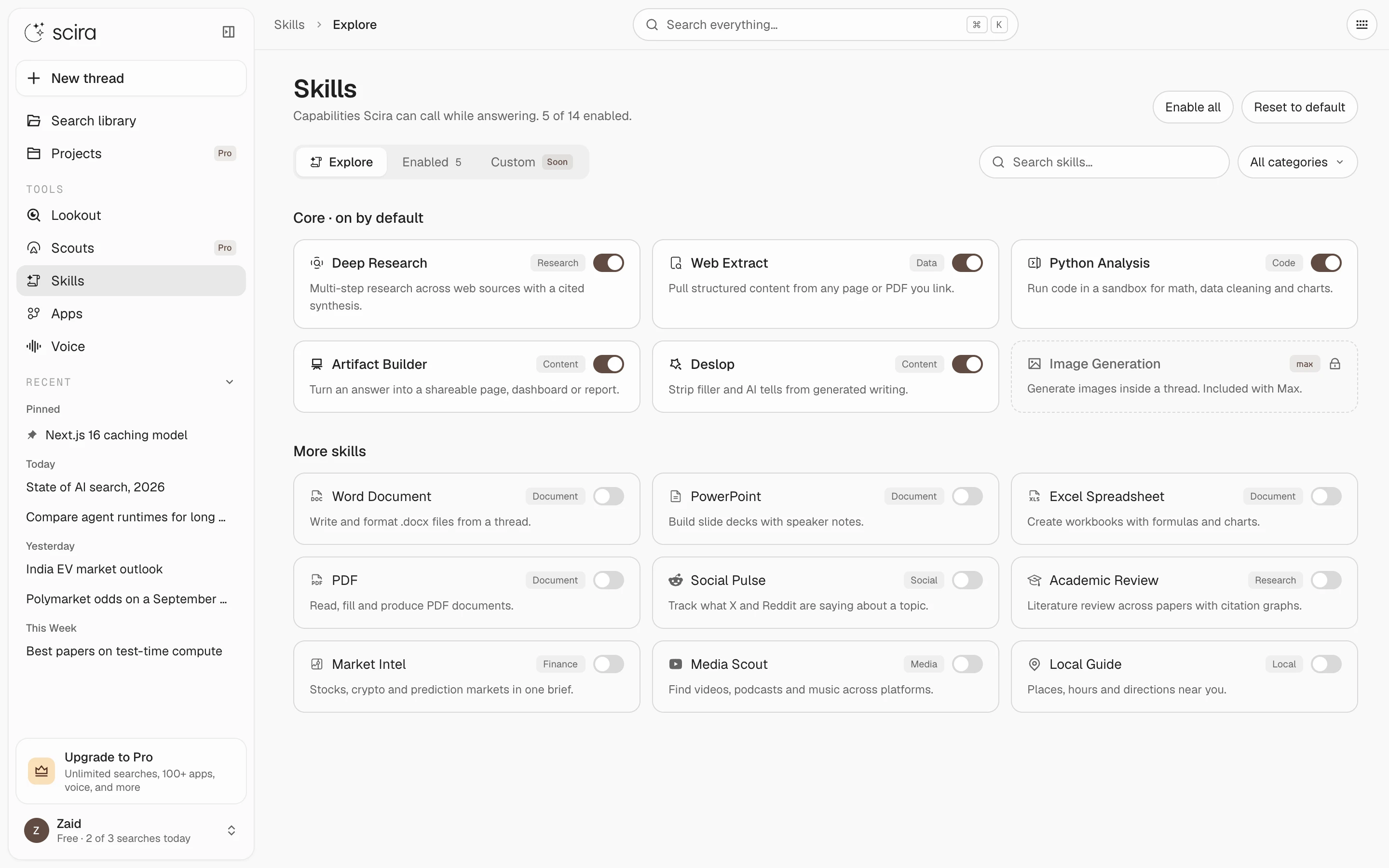 Skills page: core skills on by default, more below, each with a switch.
- A skill is a playbook the model loads before it starts a task.
- Bundled skills ship with Scira. You can write your own on the Skills page or have the model save one from a chat.
- Type
/in the composer to pin a skill to a message. The model loads it before any other tool. - Without a pin, the model matches your question against the skills table in its prompt.
- Skills run inside the same sandbox as the shell tool, so a skill that ships a script can run it.
- Signed-out chats no longer see the skill tool or the skills table.
Scouts#
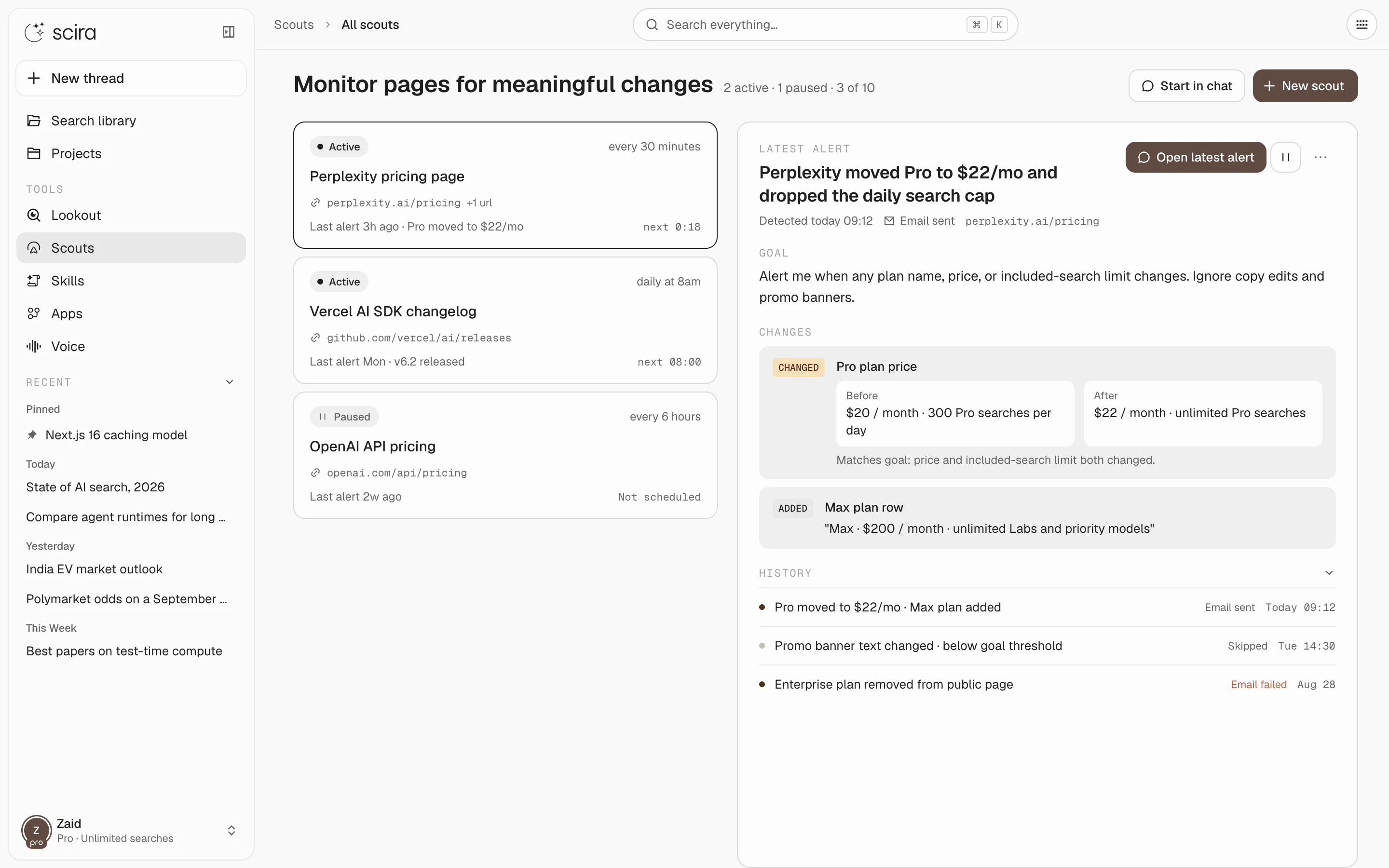 Scouts: the list on the left, the latest alert with before and after on the right.
- A Scout watches one page on a schedule, judges whether a change matters, and emails you when it does.
- The home page shows the latest flagged change under your recent threads.
Apps#
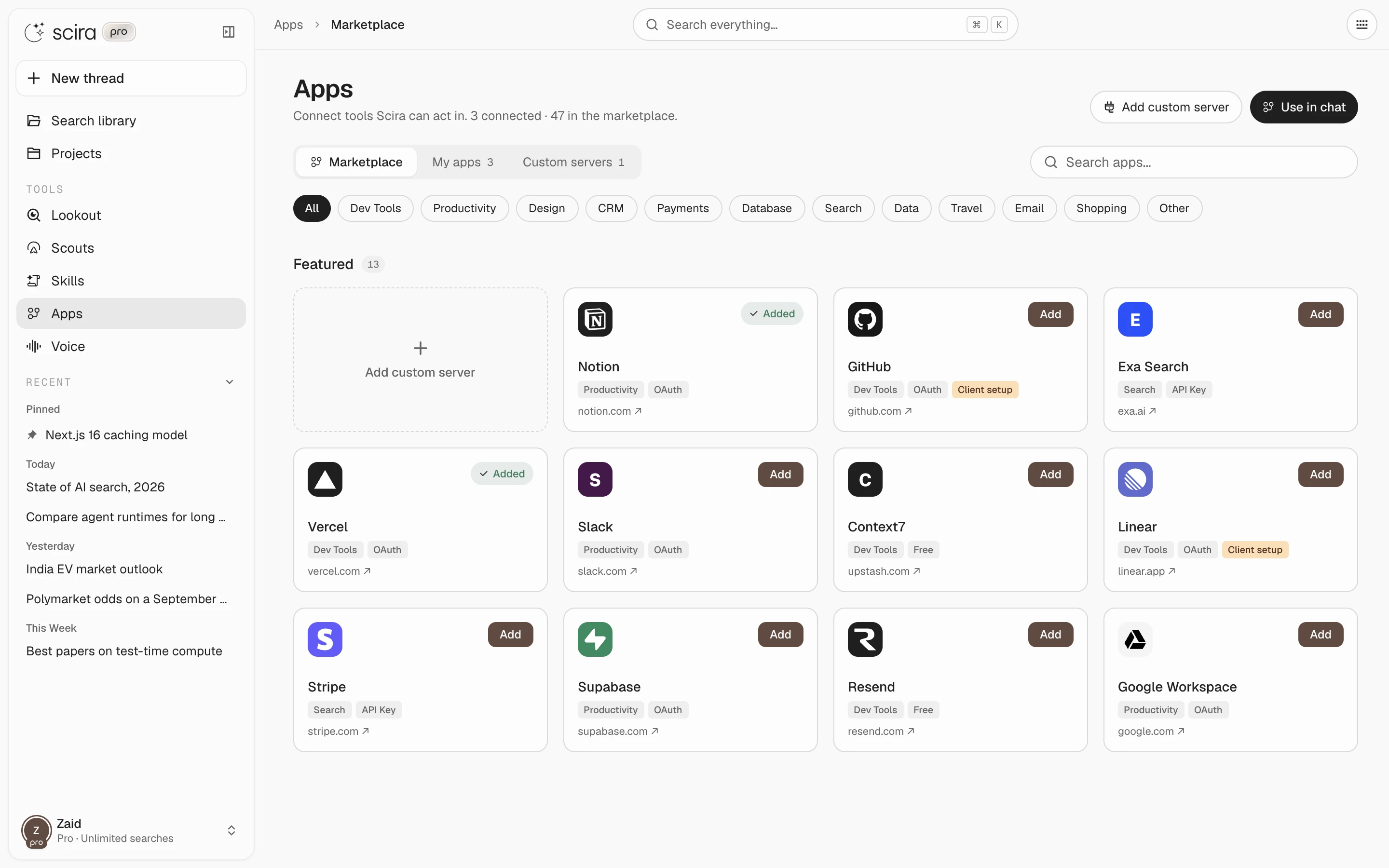 Apps marketplace.
- Connectors are replaced by Apps, the MCP marketplace. Connect a server once and its tools show up as sources.
- App UIs render inline through MCP Apps.
- Tool approvals are recorded out of band and checked server side, not passed through the chat as text.
- Elicitation forms render inline in the timeline.
Sources#
- Saved sources now survive a page reload. Previously, with an app connected, the composer wiped your selection on every load and put Web back.
- A source picked with
@stays selected for the next question instead of lasting one turn.
Removed#
- Extreme mode. The normal run plans its own depth.
- Canvas mode. Artifacts and OpenUI components still render beside the thread. There is no mode to switch into.
- Connectors. Replaced by Apps.
- Memory mode. Memory is ambient. Scira recalls and remembers on its own. The list lives in Settings, where you can delete entries.
- Tool-change warnings. Apps no longer block a tool whenever the server changes its description. The check fired on nearly every chat.
Scira is open source under AGPL-3.0. Report anything that looks off on the feedback board.
productdesignskillsscoutschangelog
